Shift & Day Close
How to open a shift, close a shift, and run the Z-Report to close the fiscal day.
One cashier's working session. A cashier opens a shift, processes sales, then closes it. Multiple shifts can run in one day.
Spans one or more shifts. Closed by running the Z-Report (End Day). A new fiscal period opens with the next shift automatically.
When a cashier logs in and no shift is open on the terminal, the Open Shift dialog appears automatically.
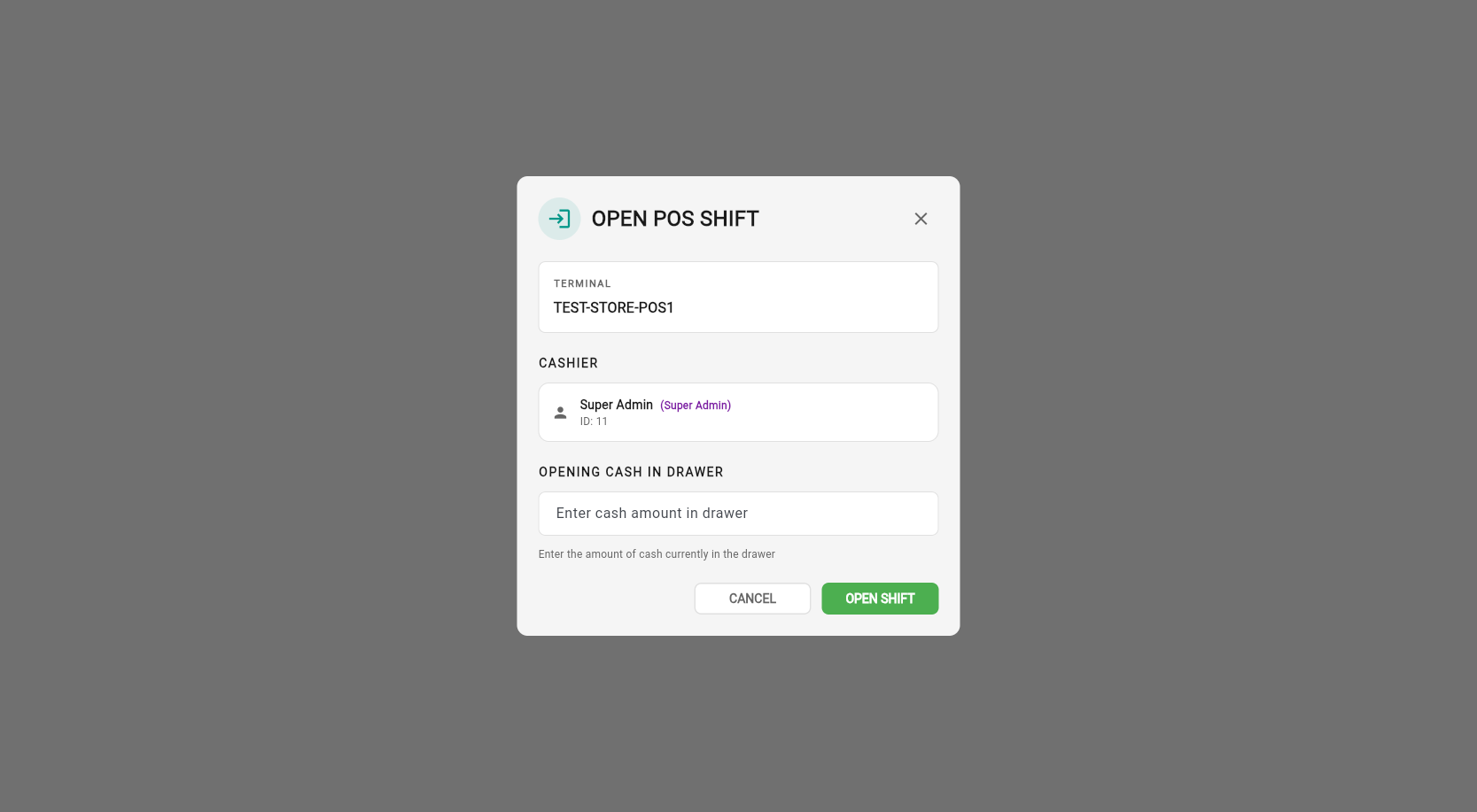
Steps
Count the cash in the drawer at the start of your shift.
Enter the amount in the Opening Cash field.
Click OPEN SHIFT — the shift is now active and you can start selling.
After opening, the POS selling screen is ready to use. The shift status badge on the terminal card changes to SHIFT OPEN.
When the cashier finishes their session, click Close Shift in the POS top bar.
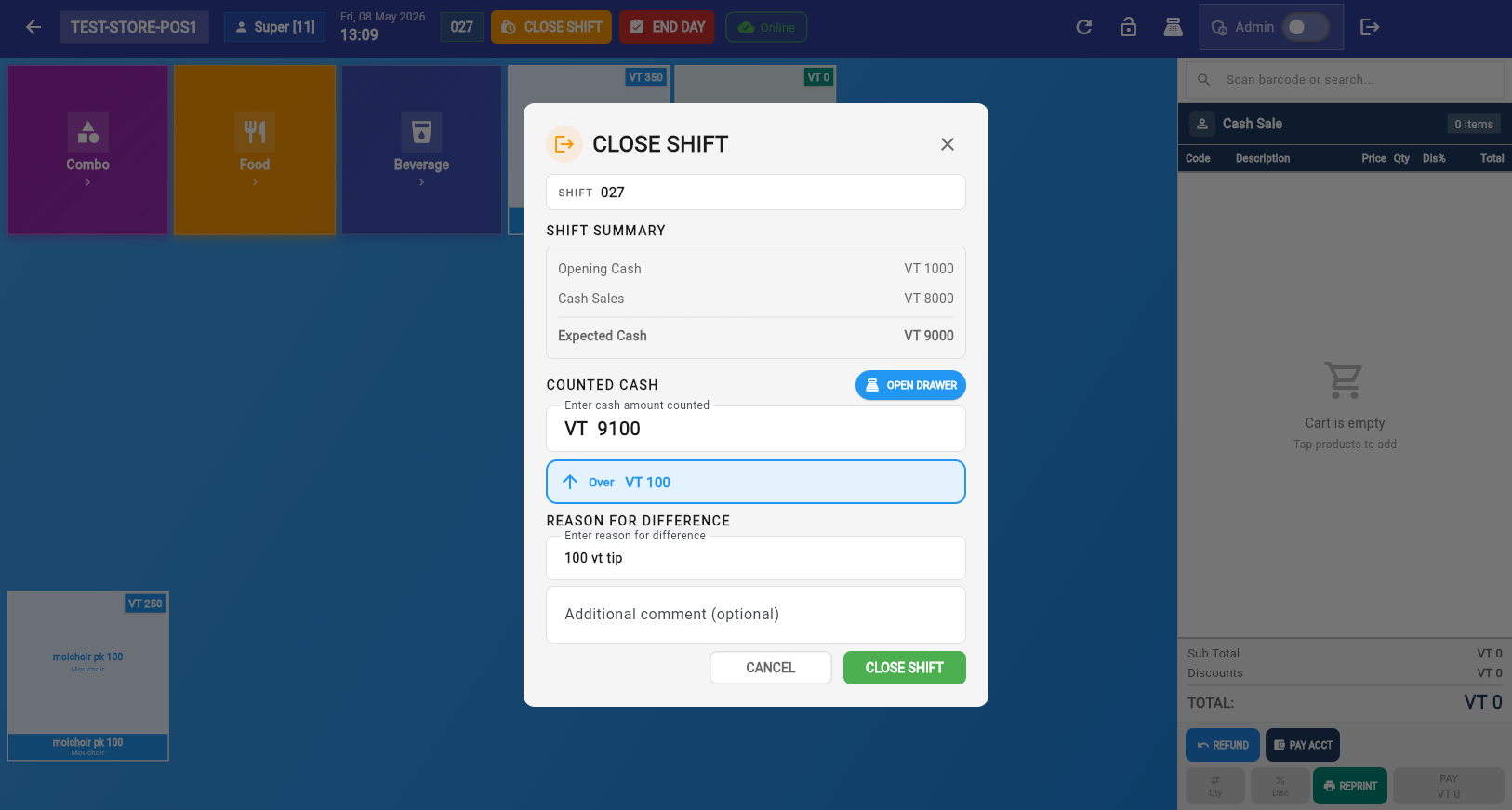
Steps
Count the cash in the till.
Enter the counted amount in the dialog. The difference (vs expected cash) is calculated automatically.
If there is a difference, provide a reason (required when cash doesn't match).
Click CLOSE SHIFT to end the shift.
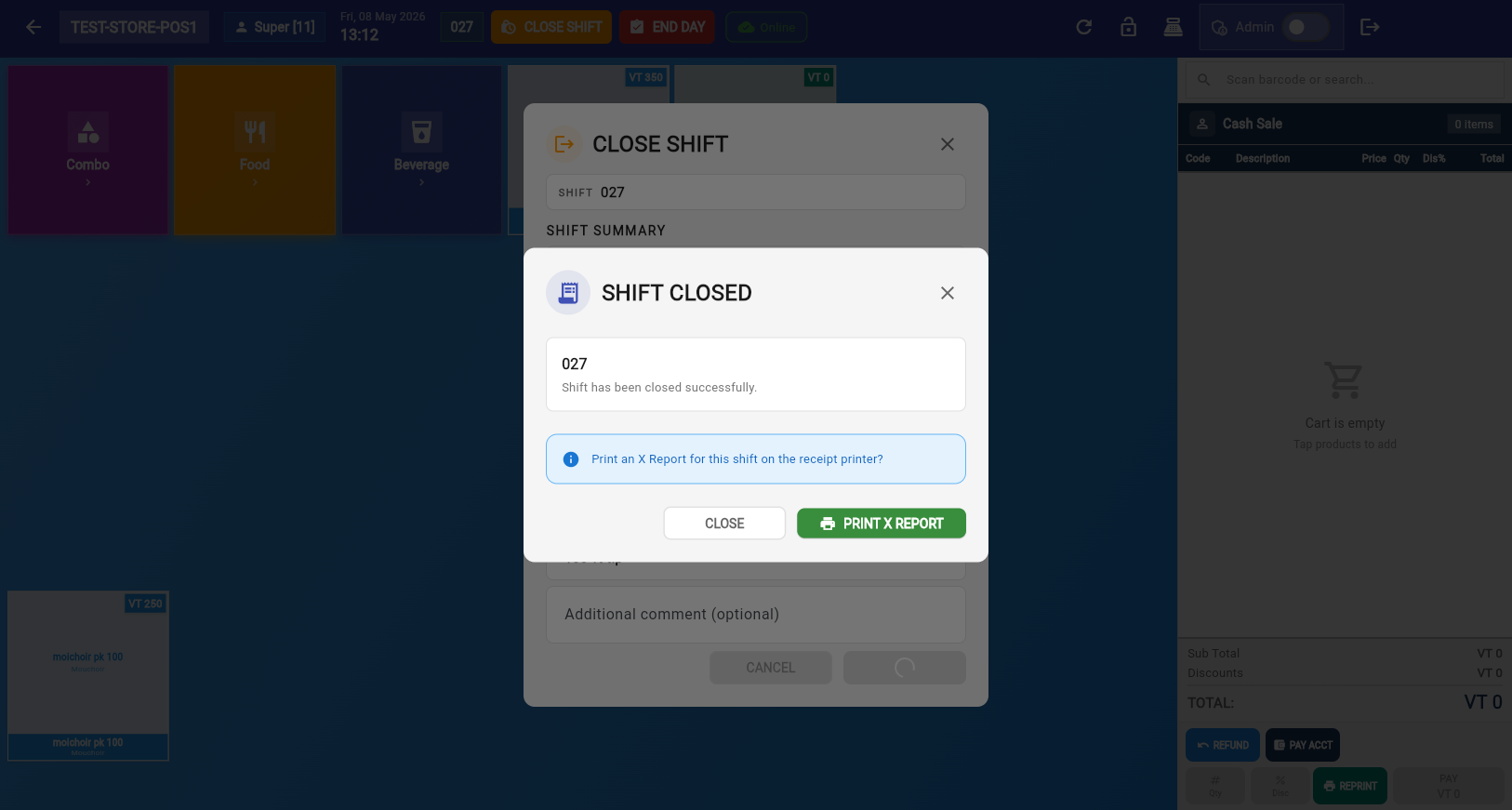
After closing, you can print the X-Report — a summary of the shift's sales without closing the fiscal period.
After closing a shift, the POS shows two options:
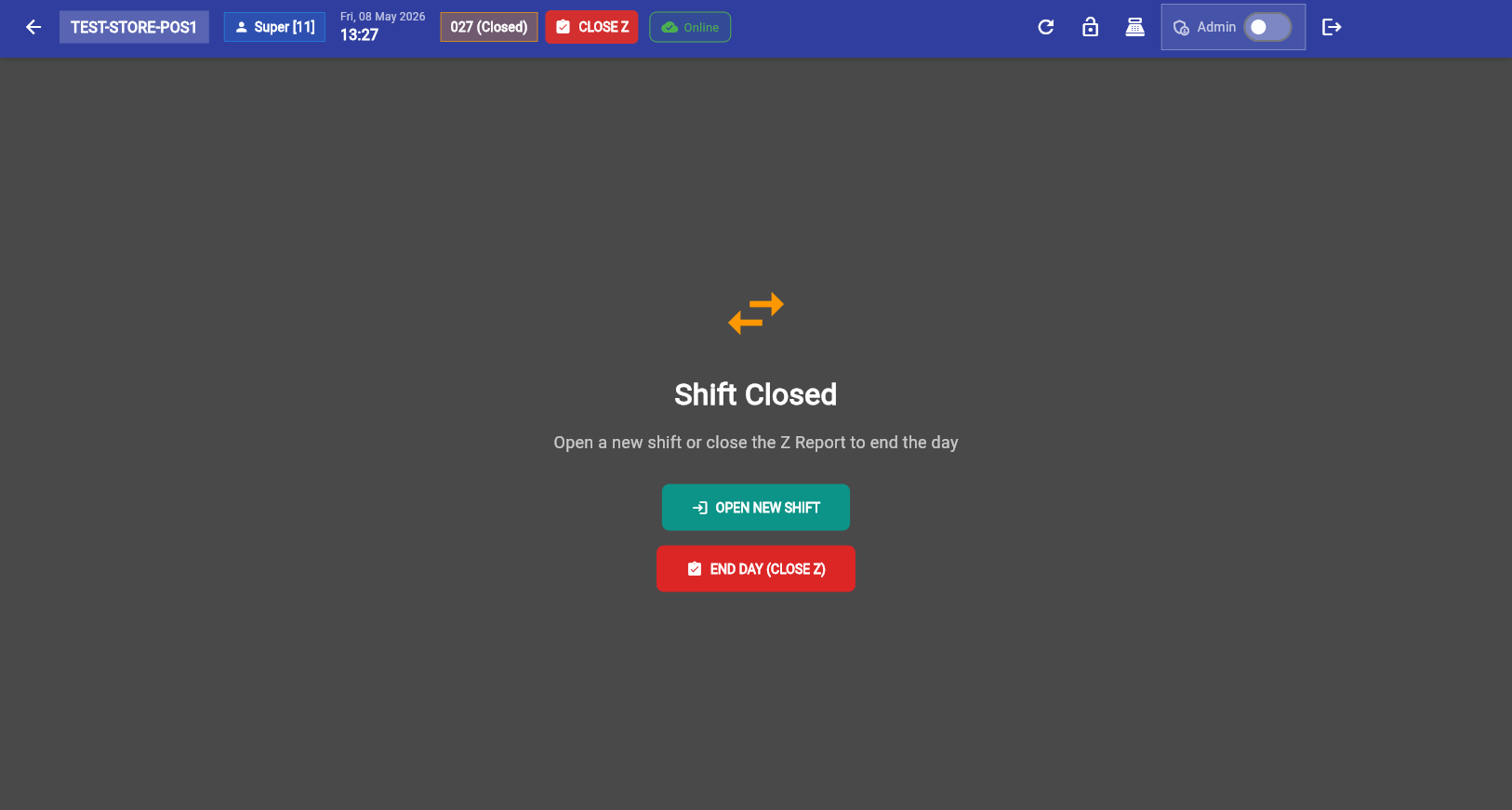
Start a new cashier shift. The fiscal period remains open. Choose this when another cashier is taking over, or when you're continuing sales.
Run the Z-Report and close the fiscal period. Choose this at the end of the business day when all sales are done.
Click End Day to open the Fiscal Period Report (Z-Report). This is the final report of the day.
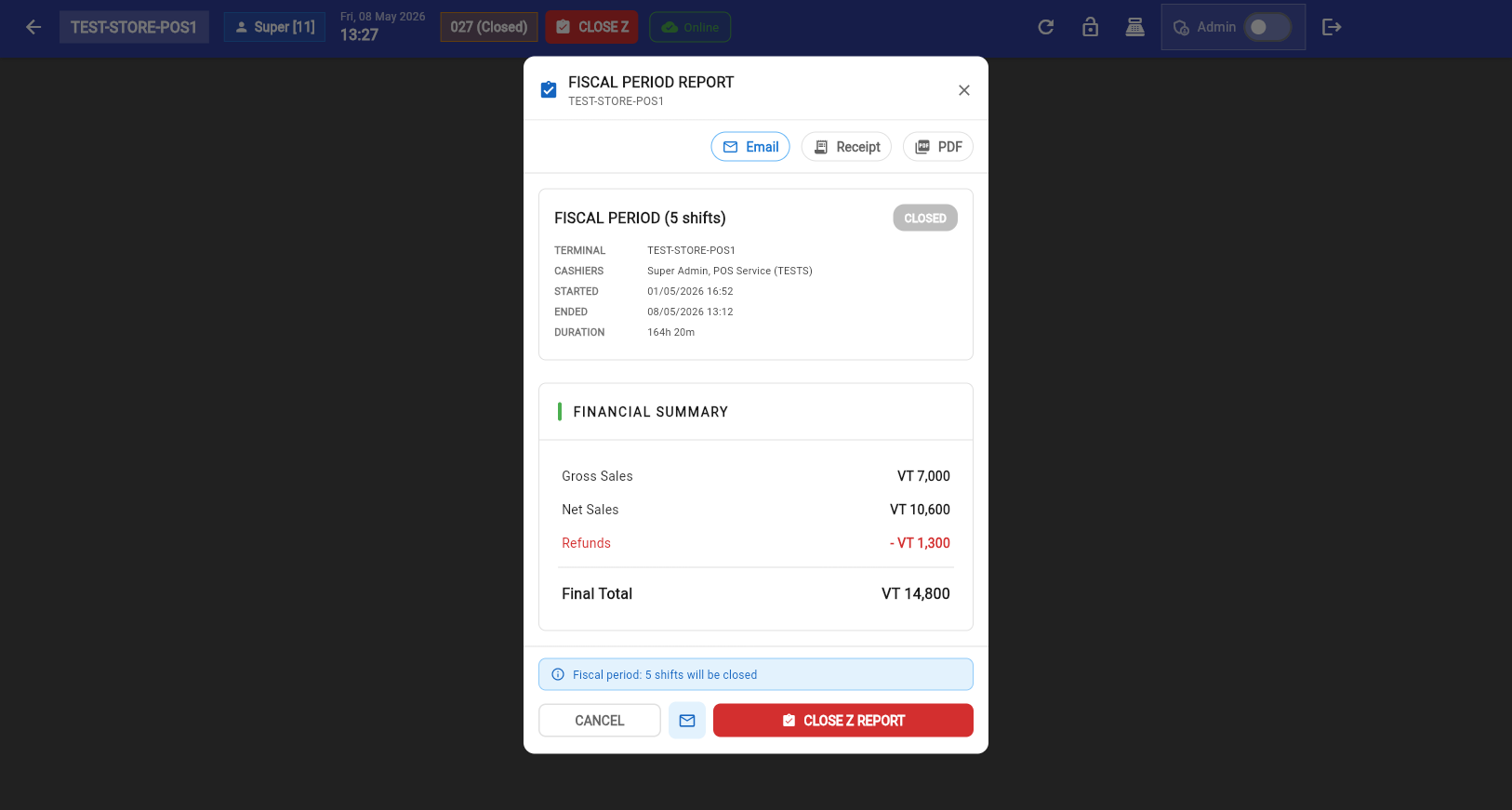
What the Z-Report Shows
Gross sales for the entire fiscal period (all shifts combined).
VAT breakdown by rate — needed for VAT returns.
Total per payment method: cash, card, bank transfer, etc.
Expected cash vs actual cash — based on opening cash, sales, and closing cash.
Steps
Review the report — verify sales totals, tax, and payment breakdowns.
Click CLOSE Z REPORT to finalize the fiscal period.
Stock Sales Report
After closing the Z-Report, the Stock Sales Report appears showing exactly which products were sold and in what quantities:
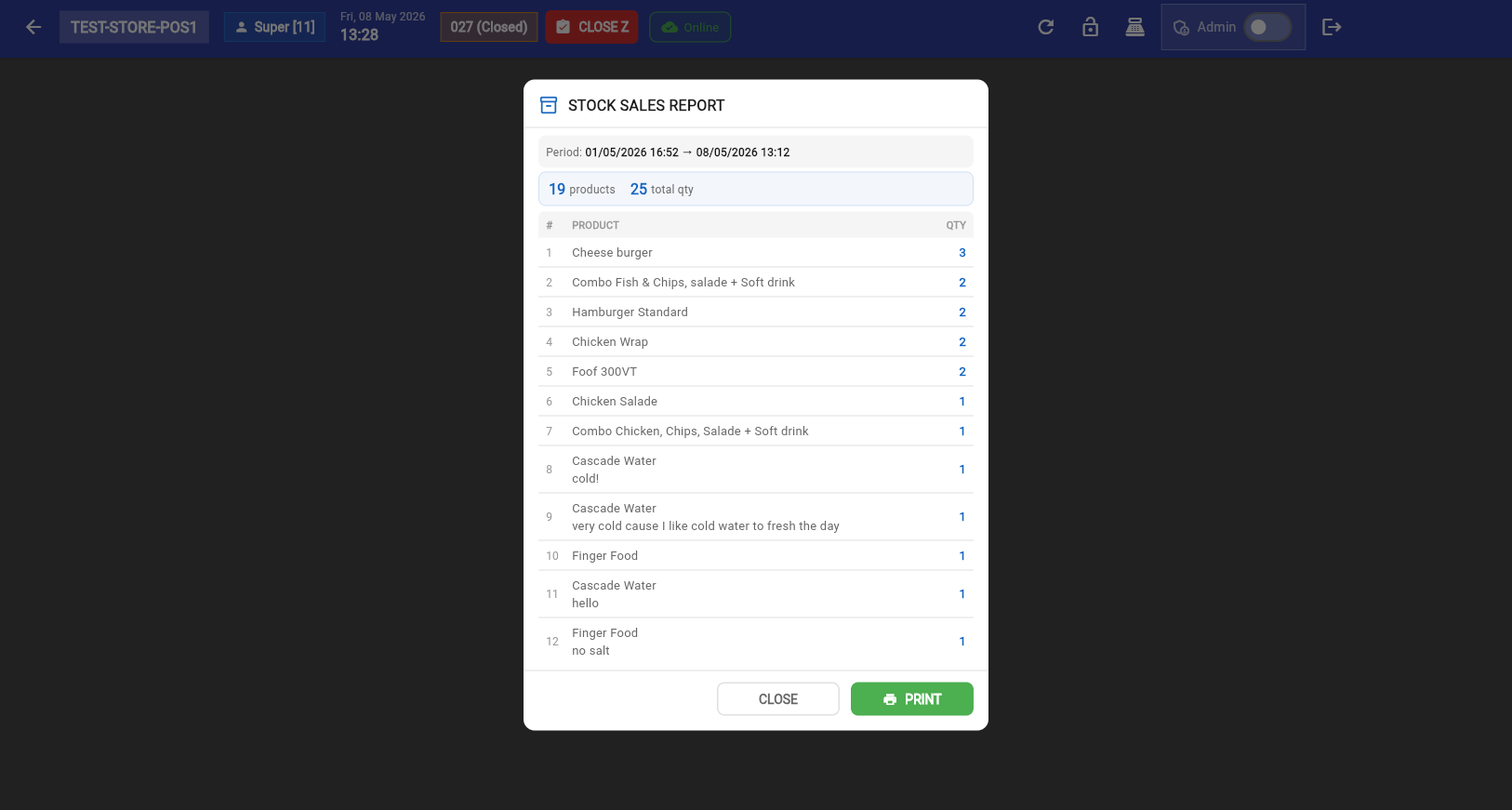
Use this report to reconcile inventory and verify stock levels before the next business day.
Can I open multiple shifts in one day?
Yes. Each cashier opens and closes their own shift. The fiscal period spans all shifts until you run End Day.
What happens if I forget to close a shift?
A ⚠️ warning appears on the terminal card after 24 hours. The shift can still be closed normally. The next shift cannot open until the current one is closed.
Can I print the X-Report without closing the shift?
Yes. The X-Report can be printed at any time from Admin Mode. It shows current totals without closing anything.
What's the difference between X-Report and Z-Report?
Mid-day snapshot. Can be printed anytime. Does not close anything. Resets nothing.
End-of-day final report. Closes the fiscal period. Irreversible. Required for VAT reporting.
Do I need to close all shifts before running End Day?
Yes. All shifts must be closed before you can run the Z-Report. Close each cashier's shift first, then End Day.