Gift Vouchers Guide
Sell vouchers at the counter or back office, and take them as payment on the POS — codes, expiry, partial redemption, and the no-change rule.
📑 Sections
A gift voucher is a prepaid amount a customer buys (usually as a gift). The customer receives a printed or emailed ticket with a short code (e.g. 74ZK5N). The code can later be used as payment for any sale.
Selling a voucher creates a signed Advance Sale (AS-) — tax liability is recorded immediately, exactly like a layby instalment. The amount is real money received.
Vouchers belong to the business that issued them — a code only redeems in the same business.
Choose the validity when selling (default 12 months). The ticket and the system both show the expiry date. Expired vouchers can no longer be redeemed.
A voucher can cover a whole sale or be tendered as part of a split payment. The system tracks redemption on the voucher record.
Go to Sales → Advances / Vouchers and click + New Voucher (or the + button). Selling works as a two-step wizard:
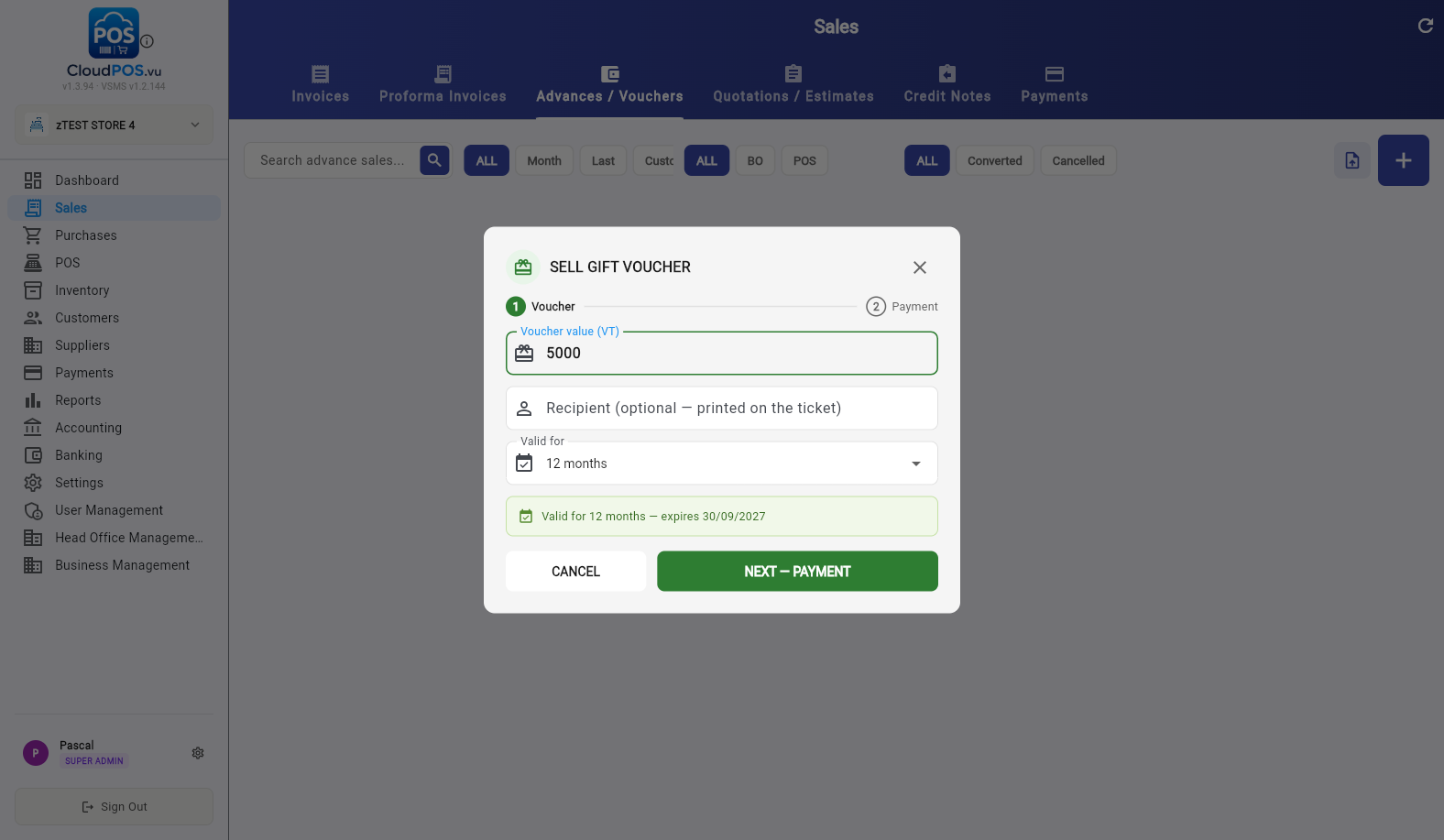
Step 1 — Voucher details
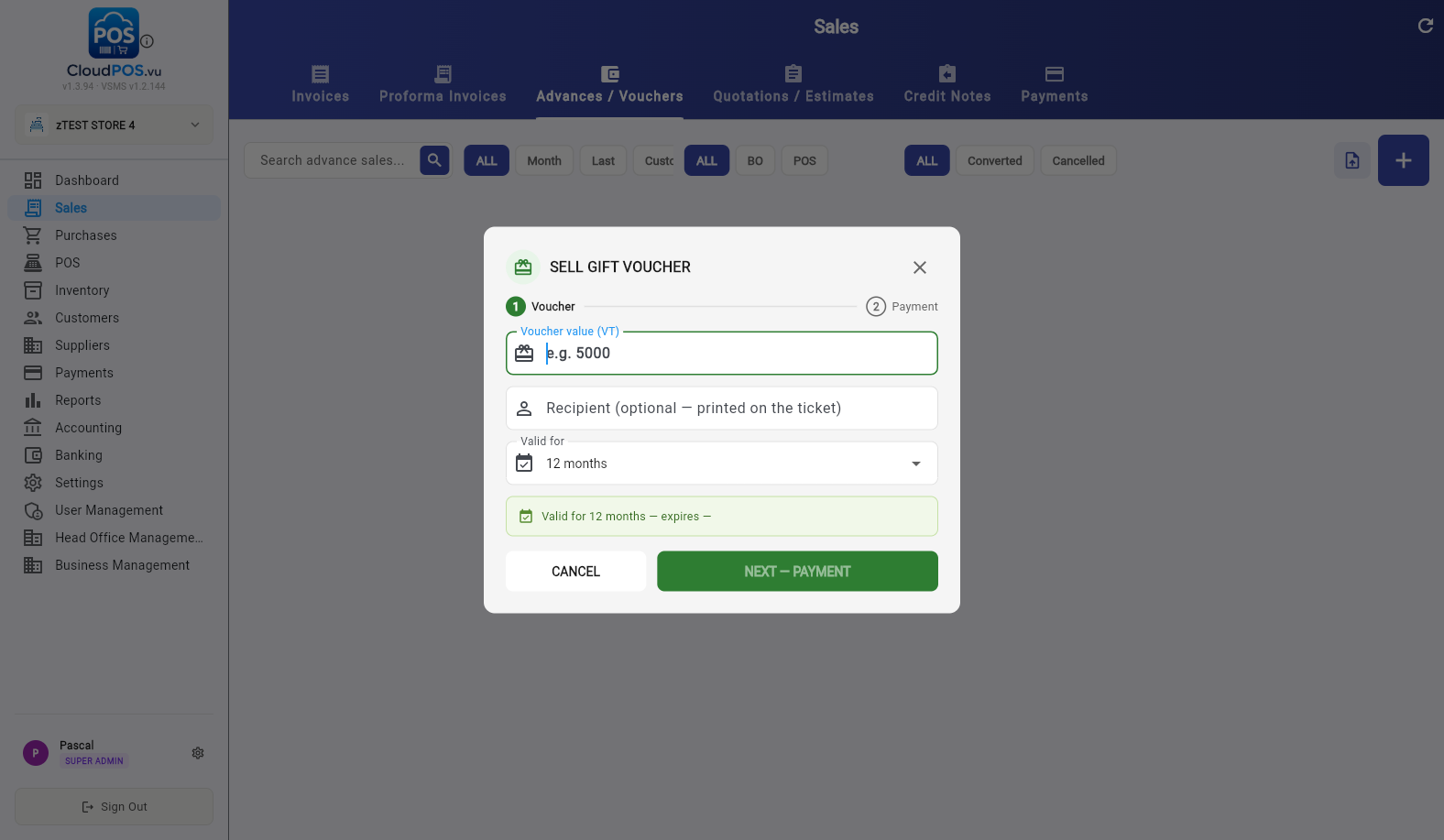
- Voucher value (VT) — the amount the customer pays, e.g. 5000.
- Recipient (optional) — a name printed on the ticket, e.g. the gift recipient.
- Valid for — 12 months by default; the expiry date is shown before you continue.
Step 2 — Payment
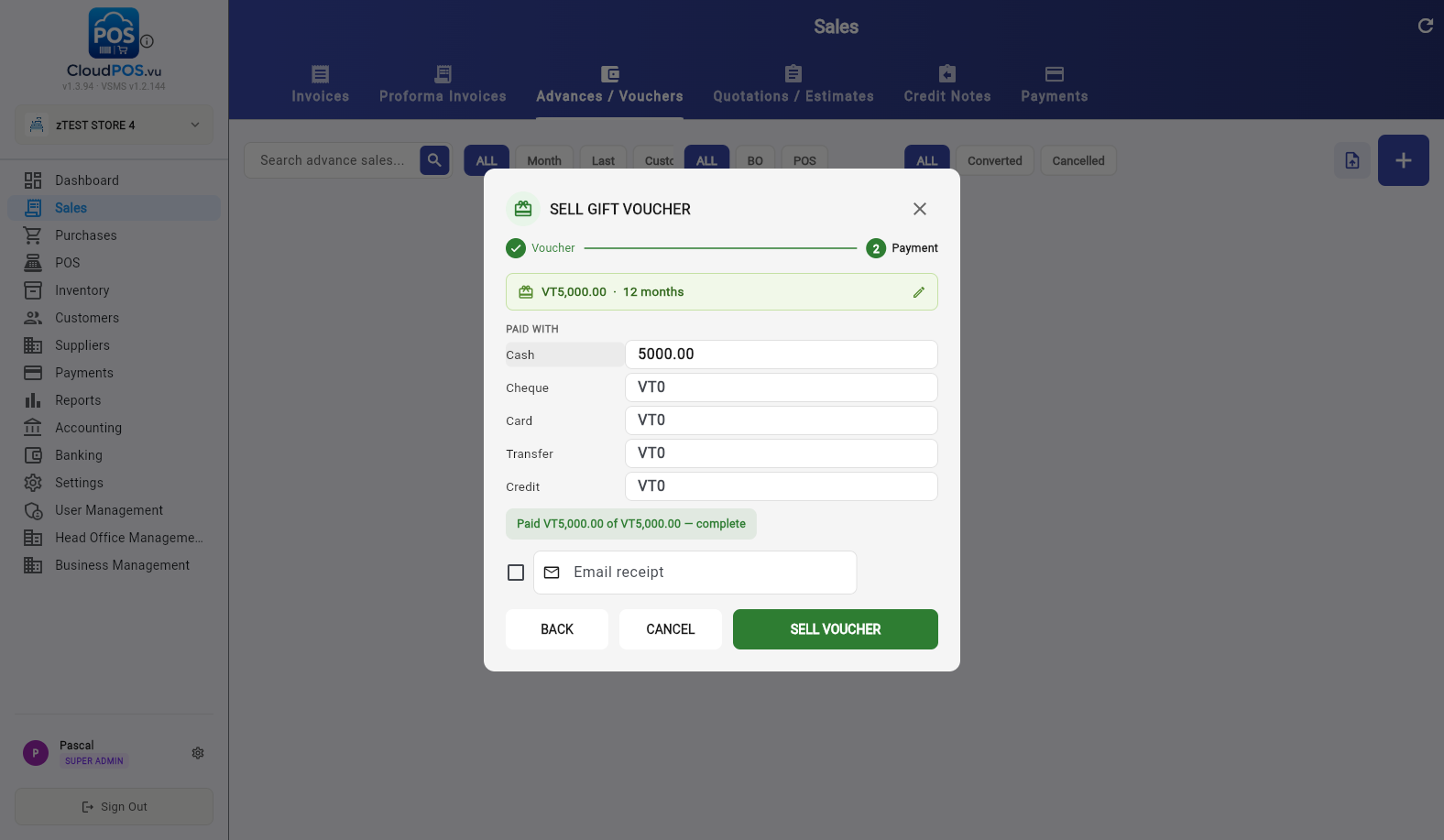
Enter how the customer pays — one method or a split (e.g. VT 3,000 cash + VT 2,000 card). When the paid total matches the voucher value, click SELL VOUCHER.
Vouchers can also be sold at the POS the same way — the ticket prints with the code for the customer.
Vouchers live in the Advances / Vouchers tab next to layby advance sales. Gift vouchers show Gift voucher in the Linked PI column, with the payment received and the remaining balance per row.
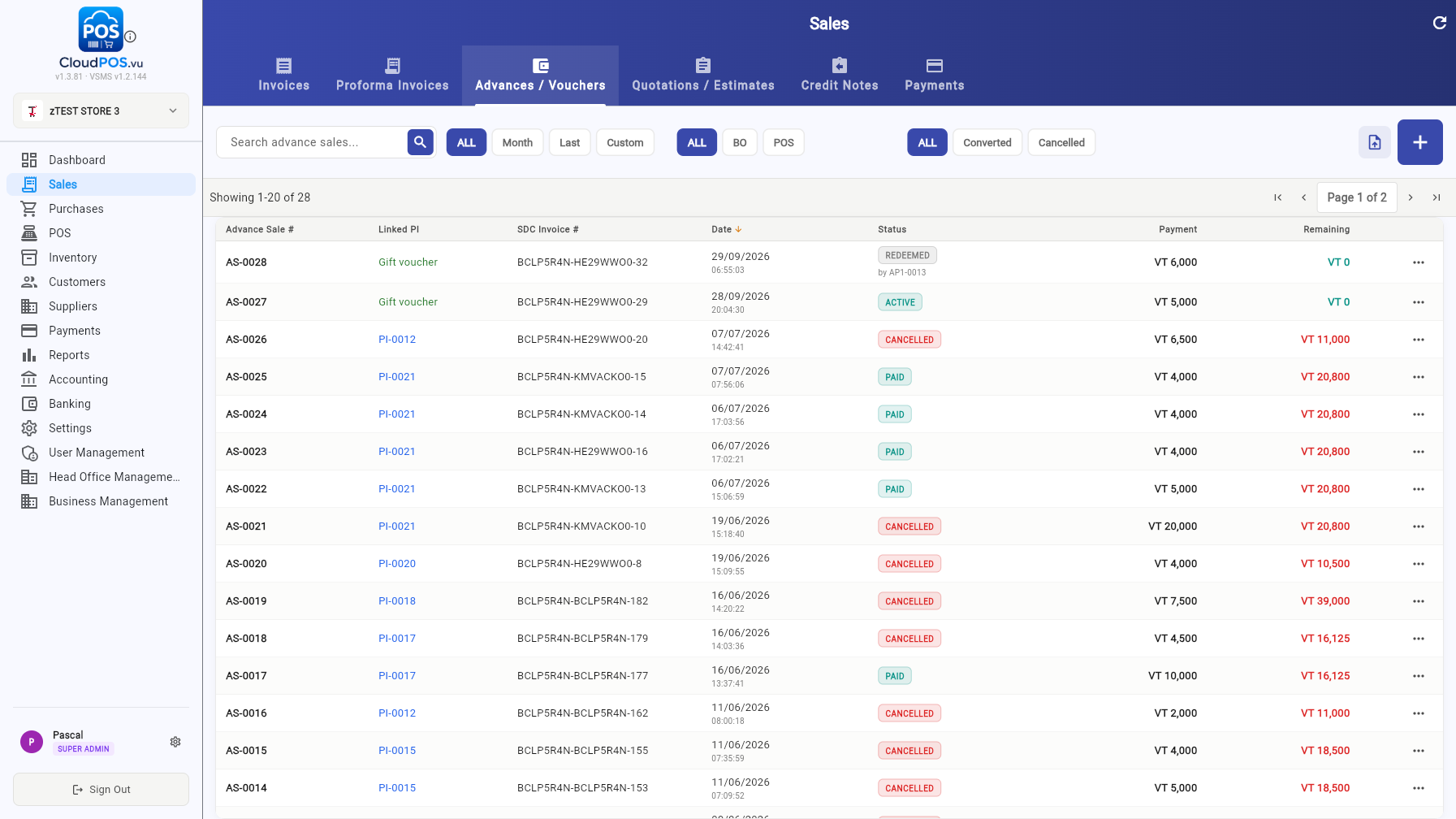
Voucher paid and signed — ready to redeem until it expires.
Fully used as payment — the invoice that used it is referenced on the voucher.
Cancelled before use (see Cancelling a Voucher).
Use the row's ⋯ menu for View, Print Ticket, Receipt PDF, Print Copy (SDC), Email, Change comment and Cancel Voucher.
Vouchers are redeemed as payment during a sale:
- Ring up the items, then tap PAY (F1).
- Switch to the SPLIT / VOUCHER tab.
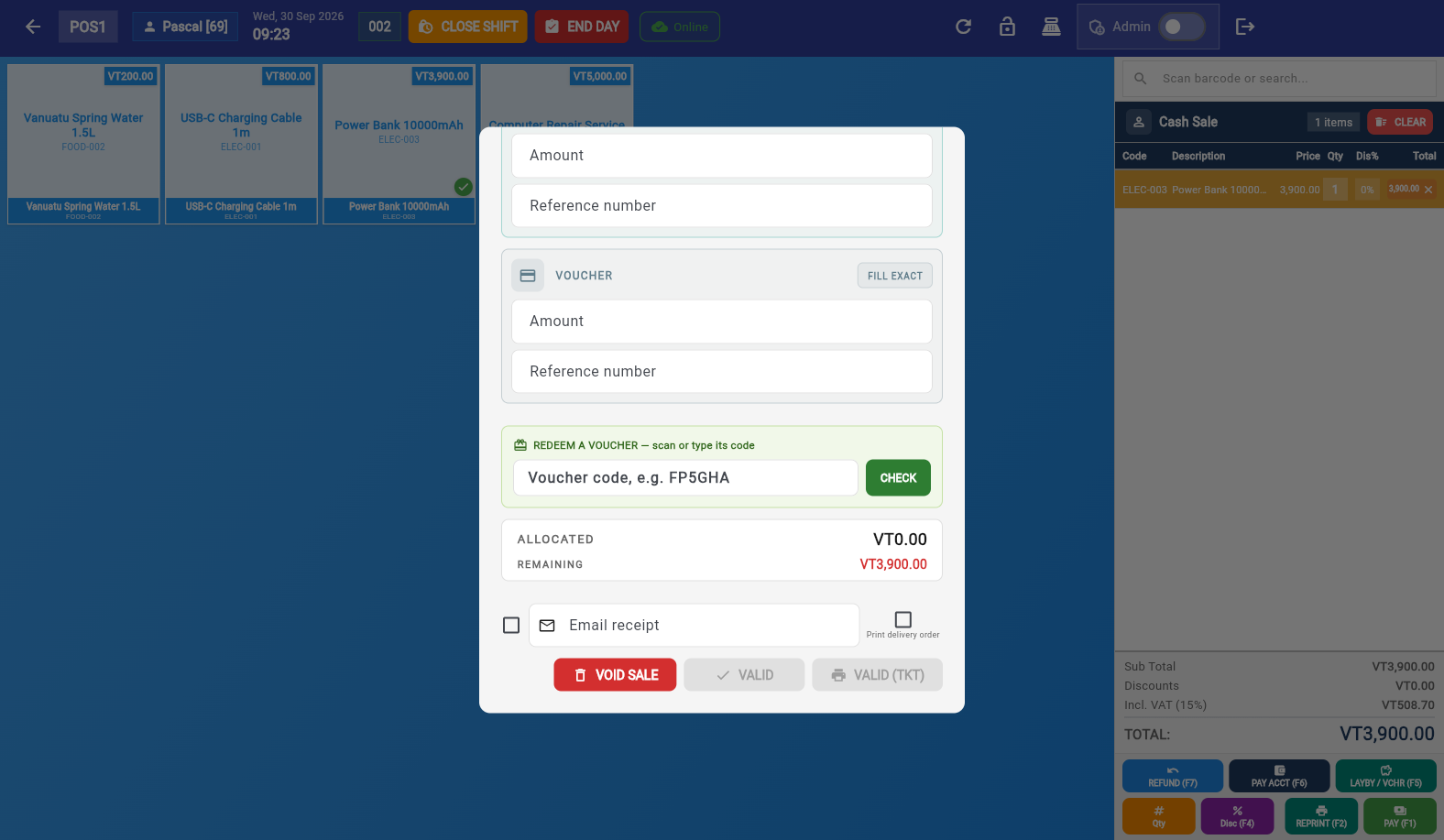
- Scroll to REDEEM A VOUCHER — scan or type its code, enter or scan the code (e.g. 74ZK5N) and tap CHECK.
The voucher is looked up and applied automatically — the section shows the voucher number, value and recipient, how much was applied to this sale, and the ALLOCATED total updates:
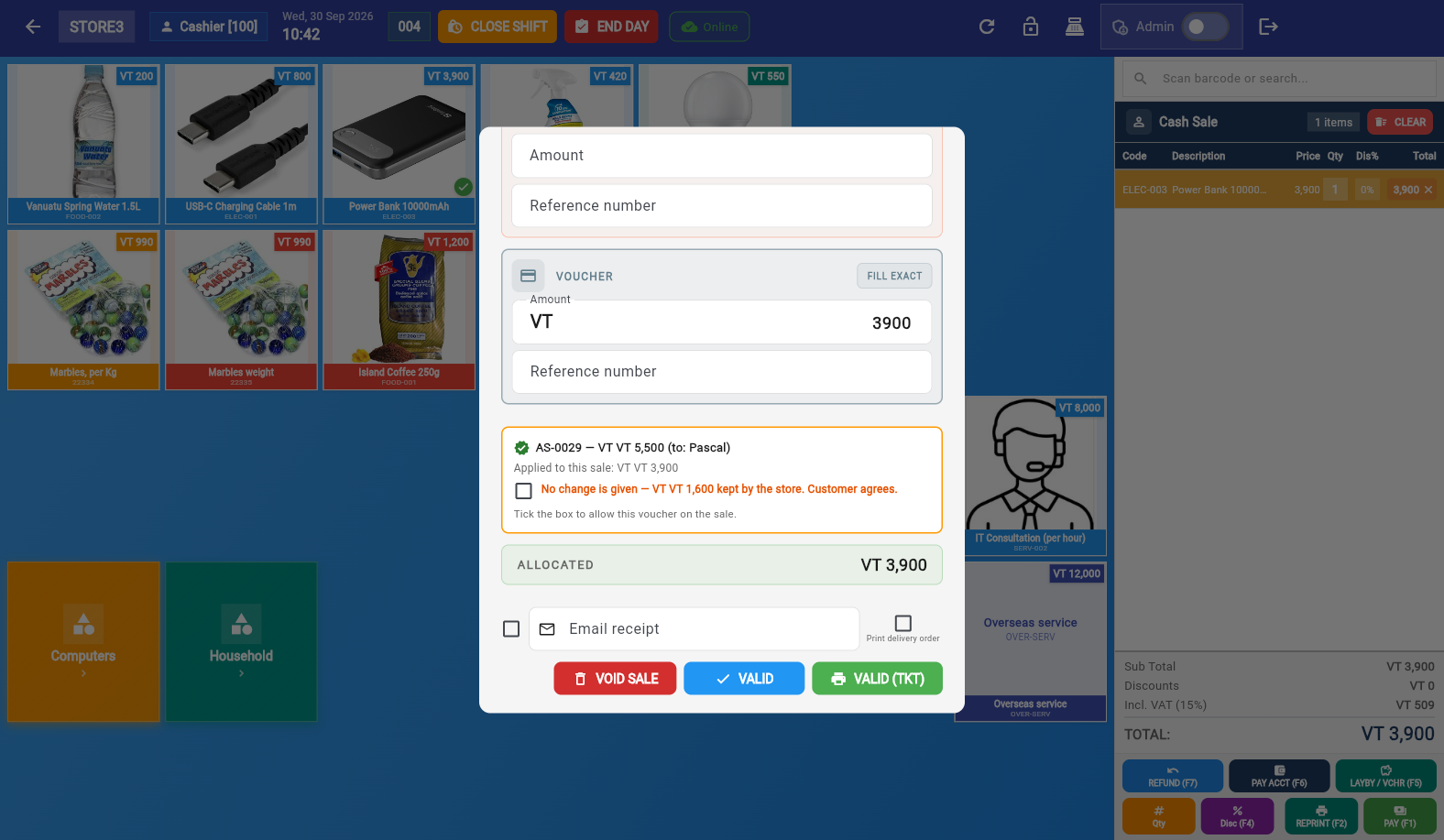
Complete the sale with VALID (or VALID (TKT) for a ticket-style receipt). The receipt shows the voucher as a payment line, exactly like cash or card.
A voucher is not cash: no change is given when the voucher is worth more than the sale. If the voucher covers more than the total, the POS asks for explicit agreement:
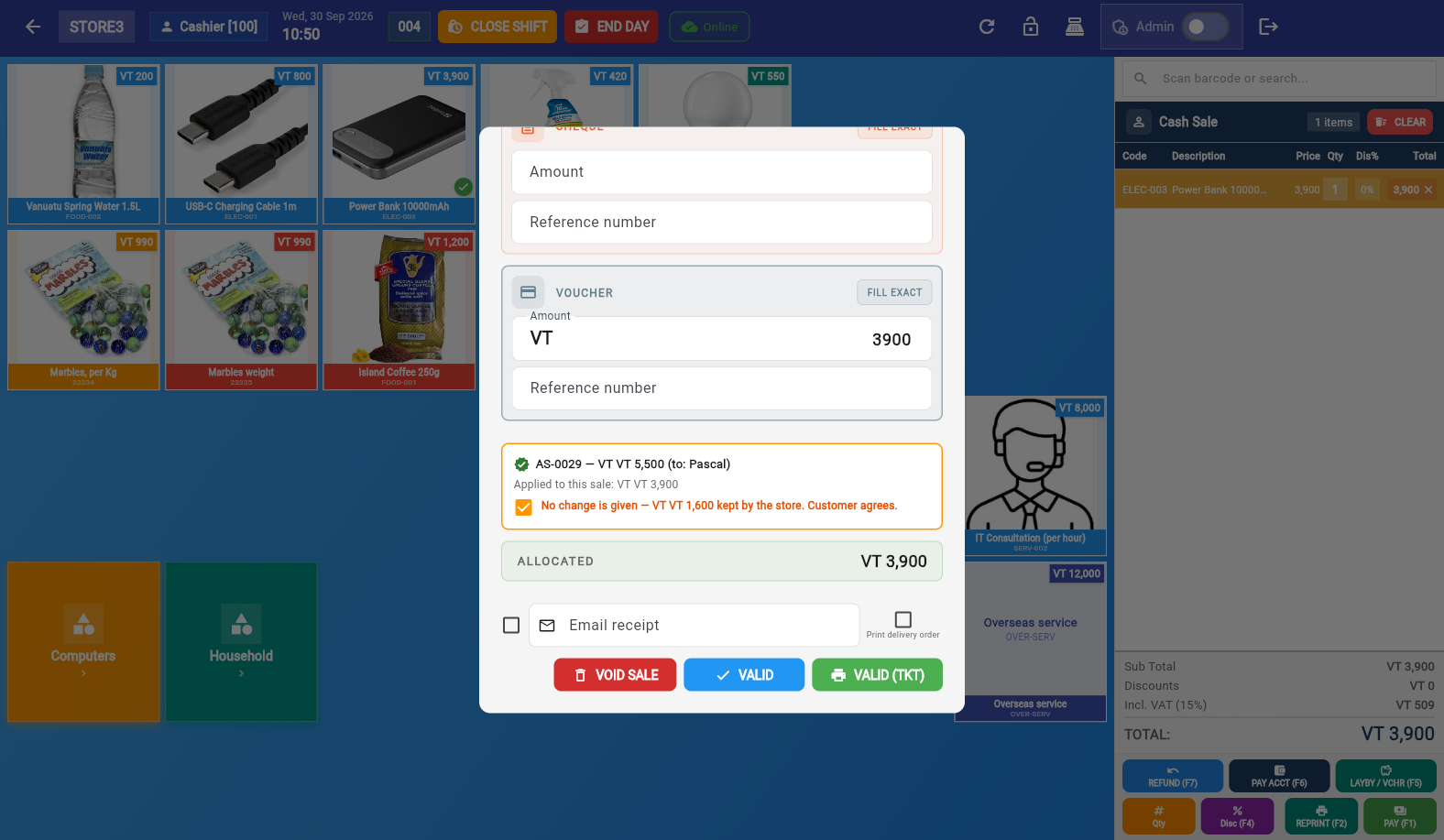
- Tick the box — the sale is paid entirely by the voucher; the unused remainder (VT 1,600 above) is kept by the store and the voucher is fully used.
- Don't tick — the voucher is not accepted; pay the sale with another method and keep the voucher for a bigger purchase.
Beside the code lookup, the SPLIT / VOUCHER tab has a plain VOUCHER payment row (Amount + Reference number). Use it for paper vouchers or third-party vouchers that are not in the system: enter the amount tendered and the reference — it counts towards the sale like any other method. System voucher codes should always go through REDEEM A VOUCHER so balances are tracked automatically.
An unused voucher can be cancelled from the list: Advances / Vouchers → row ⋯ → Cancel Voucher. Cancellation reverses the advance sale via the SDC (like any advance-sale cancellation), so it should be done by a manager. Once a voucher has been redeemed it can no longer be cancelled — use a Credit Note on the sale that used it instead.
Can a voucher be used partly and keep the rest for later?
No — a voucher redeems in one go: it covers the sale up to its value, and any leftover is forfeited under the no-change rule (or the voucher isn't accepted). Plan the sale to use the full value.
Can a voucher be redeemed in another shop (business)?
No — vouchers are per business. The POS only finds codes issued by the business you are logged into.
What if the customer lost the code?
Find the voucher in Advances / Vouchers (search by value or date), open it with View and re-print or re-email the ticket from the ⋯ menu.
Do vouchers appear in reports and accounting?
Yes. Selling the voucher is an advance sale (shows in Sales → Advances / Vouchers, the Payment Received report, and VAT figures at issue). The redemption is a payment line on the invoice where it was used.
Can a voucher be paid partly with cash and partly on credit?
The payment step accepts a split across Cash, Cheque, Card, Transfer and Credit — but the voucher is only issued once it is fully paid.